
All tools · QR Code Maker
QR Code Maker
Branded QR codes that scan, never expire and never track.
Open QR Code Maker →Free. No account needed.
- Kit colours, dot and corner styling, and a centre logo with error correction raised to keep codes scanning
- A live scannability meter flags risky colour pairs before you print a thousand flyers
- Static codes generated in your browser: they never expire, and no tracking layer sits in the middle
- Batch a CSV of links into a ZIP of named PNGs; single codes export as PNG or SVG
Runs entirely in your browser. Your files never leave your machine.
See it in action
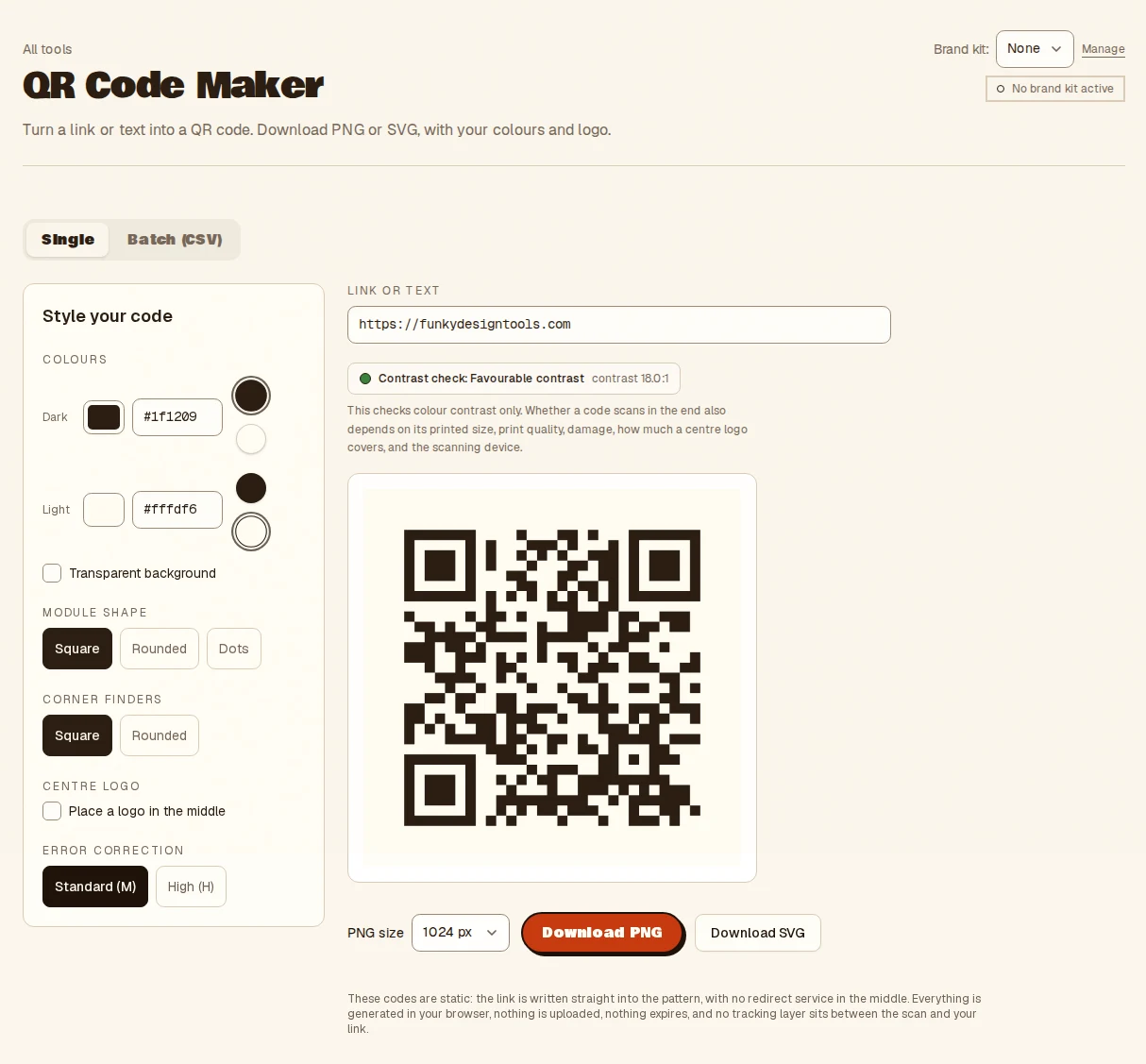
- Type a link, or drop a CSV of links
- Style the colours, shape and centre logo
- Download a PNG or SVG, or a ZIP
- Takes
- A link or text, or a CSV of links for a batch.
- Gives
- Static PNG or SVG codes, single or a ZIP. The meter checks colour contrast only, not real-world scanning.
QR Code Maker, answered
- Do these QR codes expire or track scans?
- No. They are static codes generated in your browser, so they never expire, there is no redirect in the middle and no scan is tracked by anyone.
- Can I put a logo in the middle of a QR code?
- Yes. Add a centre logo and the error correction is raised automatically so the code keeps scanning. A live meter warns when a colour pair is too low in contrast.
- Can I generate many QR codes at once?
- Yes. Drop a CSV of links and download a ZIP of named PNGs. Single codes export as PNG or SVG for print.
- Does the scannability meter guarantee a scan?
- No. It checks colour contrast only. Test a printed code with a real phone before a large print run.
More from the toolbox
Social Card Maker
Feed it a spreadsheet, get fifty branded social cards.
Have a look →
Campaign Maker
One creative in, twenty sized, branded, on-message assets out. Templates you can re-run.
Have a look →
Favicon Maker
Drop one logo, get the whole icon set: favicon.ico, apple-touch and PWA PNGs, a web manifest and a paste-ready snippet, all in one ZIP.
Have a look →
Notes from the workbench
All comments ↗Used QR Code Maker for something? Share what worked, or suggest one thing that would make it easier. Your note could help shape the next improvement.