All tools · Campaign Maker
Campaign Maker
One creative in, twenty sized, branded, on-message assets out. Templates you can re-run.
Open Campaign Maker →Free. No account needed.
- Three layout families, typeset live across every size you pick
- 38 platform sizes from one setup; save the template and re-run it weekly
- Brand Kit colours, fonts and logo applied in one click
- Diagonal two-image splits, scrims and CTA chips, all in your browser
Runs entirely in your browser. Your files never leave your machine.
See it in action
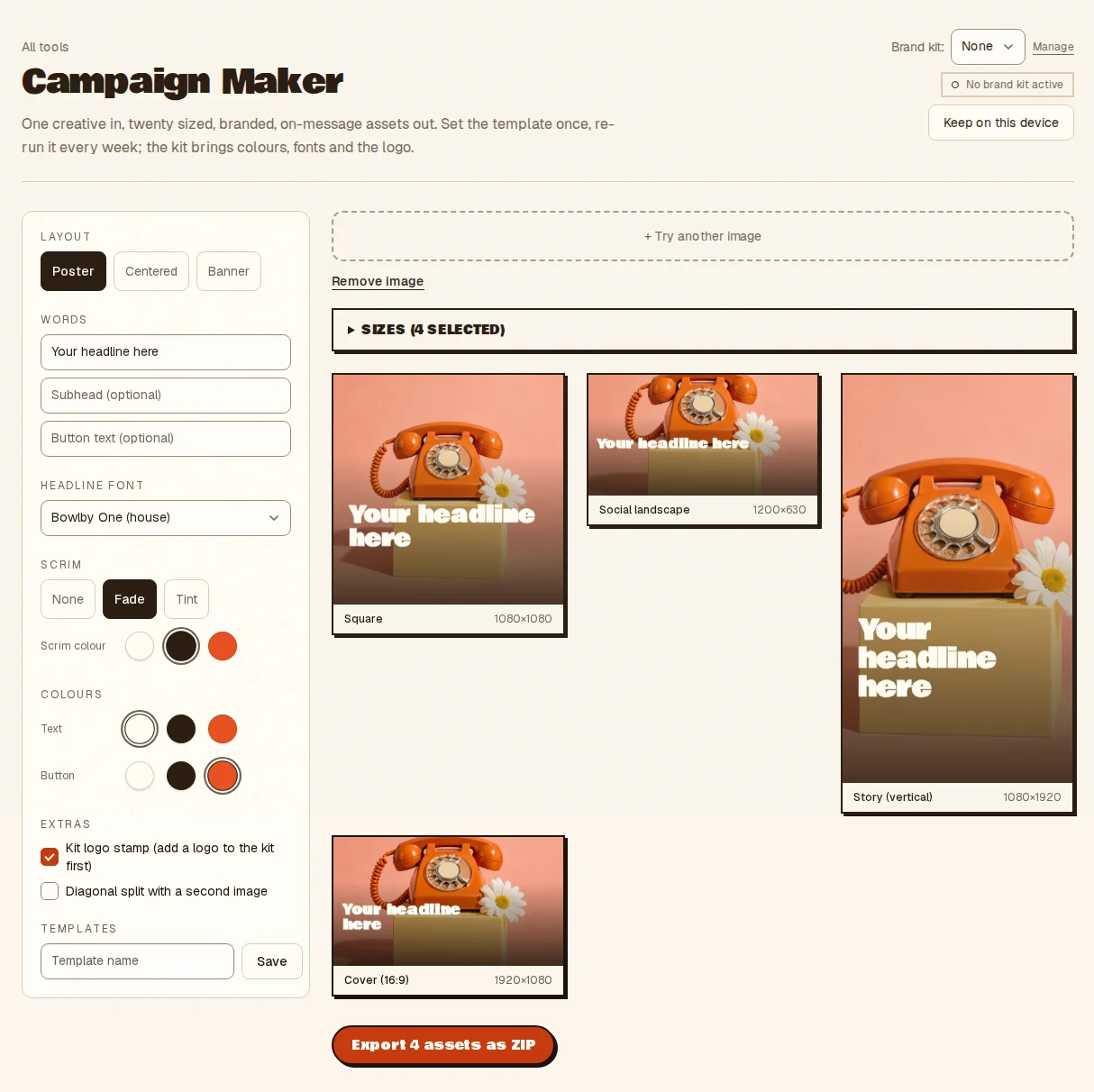
- Drop your creative image
- Set the words, layout and colours
- Export the whole set as a ZIP
- Takes
- One base image, your words, and an optional Brand Kit.
- Gives
- A branded JPEG for every size you pick, in one ZIP. Save the style as a template and re-run it.
Campaign Maker, answered
- What does the Campaign Maker produce?
- From one image and your words it typesets a branded creative at up to 38 platform sizes in one pass, then exports the whole set as a ZIP.
- Can I reuse a campaign setup?
- Yes. Save the layout, colours and copy as a template and re-run it next week with a new image. Templates live in your browser storage.
- Does it use my brand colours and fonts?
- Pick a Brand Kit and its colours, fonts, logo and watermark are applied in one click across every size.
- Is anything uploaded?
- No. Everything runs inside your browser tab on your own machine. Nothing is uploaded and there is no server to send it to, so nothing is stored anywhere but your device.
Notes from the workbench
All comments ↗Used Campaign Maker for something? Share what worked, or suggest one thing that would make it easier. Your note could help shape the next improvement.