
All tools · Watermarker
Watermarker
Stamp your logo across a whole folder in one go.
Open Watermarker →Free. No account needed.
- Pick the client's Brand Kit and its watermark comes with it
- Nine-position grid or tiled across the whole image
- Logo or text stamps with live previews on every image
- One ZIP out; PNG sources stay PNG
Runs entirely in your browser. Your files never leave your machine.
See it in action
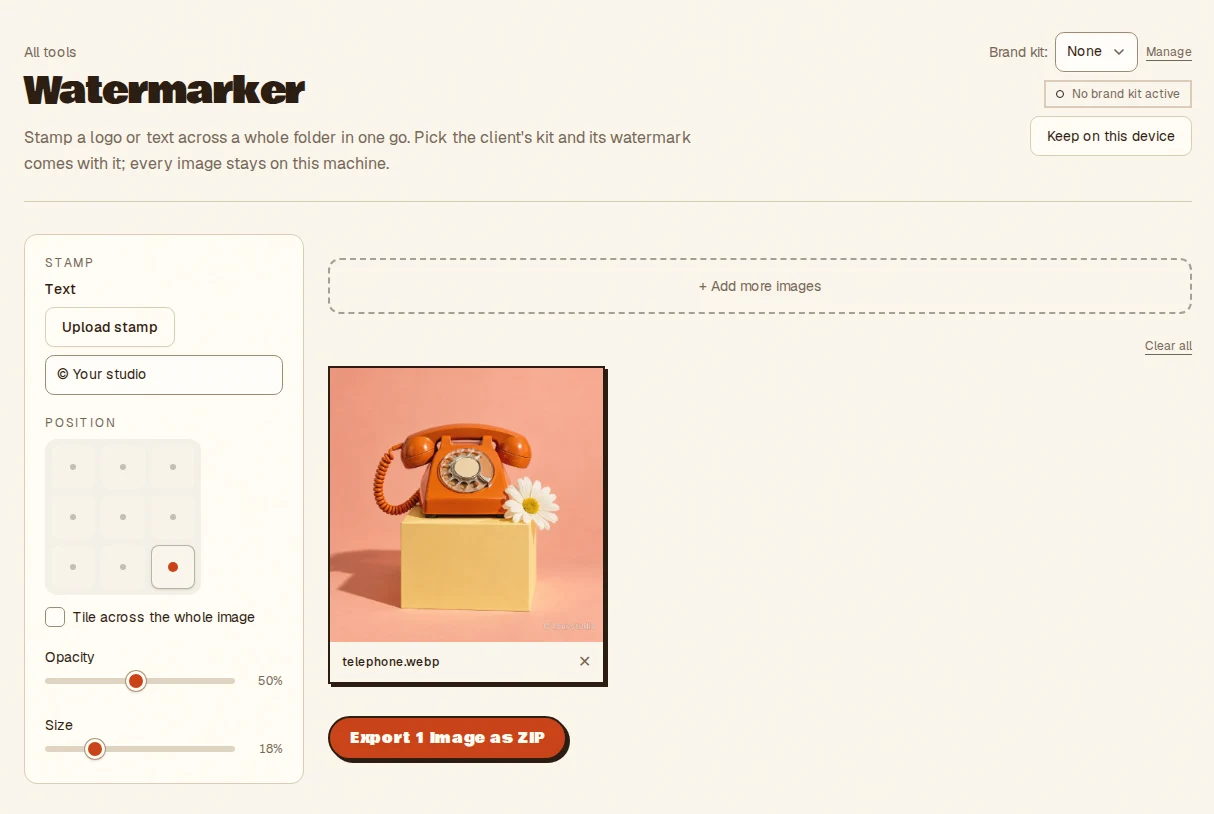
- Type a text stamp or upload a logo
- Drop the images to mark
- Set the position and opacity, then export a ZIP
- Takes
- Browser-readable images, one or a batch, plus a text or logo stamp.
- Gives
- A stamped copy of each image, with PNG sources staying PNG, packed into a ZIP. It is a visible overlay, not tamper-proofing.
Watermarker, answered
- Can I watermark a whole folder at once?
- Yes. Drop the images, choose a text or logo stamp, set the position and opacity, and export every stamped copy as one ZIP.
- Where can the watermark go?
- Any of nine grid positions, or tiled across the whole image for stronger coverage. Every image shows a live preview.
- Is a watermark tamper-proof?
- No. It is a visible overlay that deters casual reuse. It does not stop a determined person cropping or editing it out, so treat it as a signature rather than a lock.
- Are the images uploaded?
- No. Everything runs inside your browser tab on your own machine. Nothing is uploaded and there is no server to send it to, so nothing is stored anywhere but your device.
Notes from the workbench
All comments ↗Used Watermarker for something? Share what worked, or suggest one thing that would make it easier. Your note could help shape the next improvement.