
All tools · Batch Cropper
Batch Cropper
Drop an image, get every preset size at once. Smart slug naming, one-click zip export.
Open Batch Cropper →Free. No account needed.
- 38 platform templates across LinkedIn, X, Instagram, YouTube, TikTok, Pinterest and more
- Face auto-focus with a fine-tune editor: drag, zoom, rotate, nudge
- Per-preset format and quality: JPEG for photos, PNG for icons, in one batch
- Naming rules and slug control, then one ZIP with every size

Runs entirely in your browser. Your files never leave your machine.
See it in action
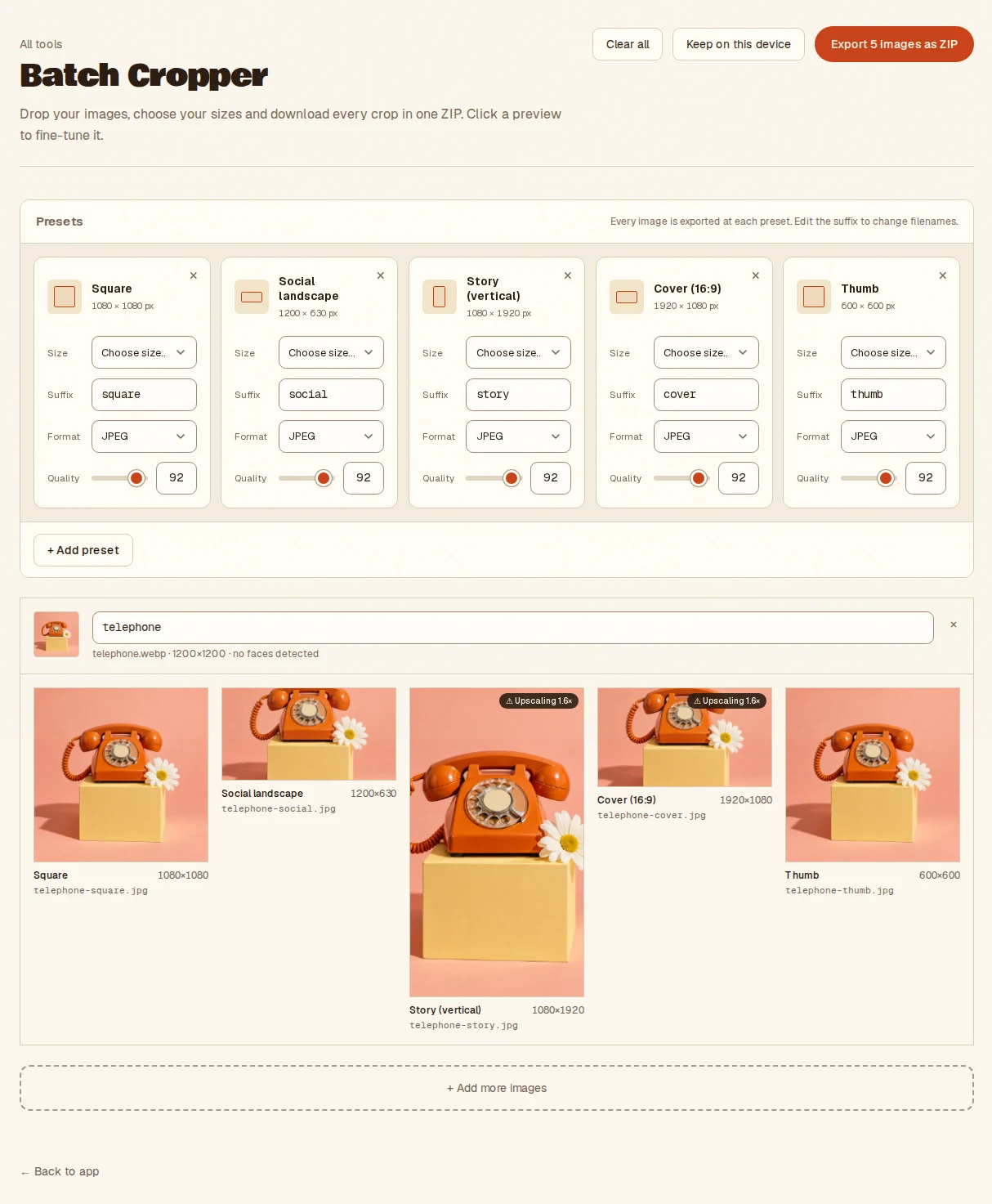
- Drop one image or a whole batch
- Adjust the preset sizes, or click a preview to fine-tune the crop
- Export every size as one ZIP
- Takes
- Any browser-readable images, one or a whole batch.
- Gives
- One file per image per preset, as JPEG, PNG or WebP, packed into a ZIP. Nothing is uploaded.
Guides for Batch Cropper
- Prepare one photograph for several placements
· A practical crop review for square, landscape and portrait outputs, including the ratio that did not suit the photograph.
Batch Cropper, answered
- Which platform sizes does the Batch Cropper include?
- 38 presets across LinkedIn, X, Instagram, YouTube, TikTok, Pinterest and more, covering posts, stories, covers, profile images and thumbnails. You can pick any mix and export them all at once.
- How does the face auto-focus work?
- Faces are detected in your browser and each crop is centred on them by default. Click any preview to fine-tune by dragging, zooming, rotating or nudging.
- Can I export different formats in the same batch?
- Yes. Each preset carries its own format and quality, so photos can go out as JPEG while icons stay PNG, all packed into one ZIP with your naming rules applied.
- Are my photos uploaded to crop them?
- No. Everything runs inside your browser tab on your own machine. Nothing is uploaded and there is no server to send it to, so nothing is stored anywhere but your device.
Notes from the workbench
All comments ↗Used Batch Cropper for something? Share what worked, or suggest one thing that would make it easier. Your note could help shape the next improvement.