
All tools · Grid Splitter
Grid Splitter
Slice one image into an Instagram grid or continuous carousel.
Open Grid Splitter →Free. No account needed.
- Profile grids from 3×1 to 3×4, sliced at 1080×1080 per tile
- Continuous carousels, 2 to 10 panels, square or 4:5 portrait
- Files numbered in posting order, with a read-me that explains it
- Live guide-line preview so you see every cut before you export
Runs entirely in your browser. Your files never leave your machine.
See it in action
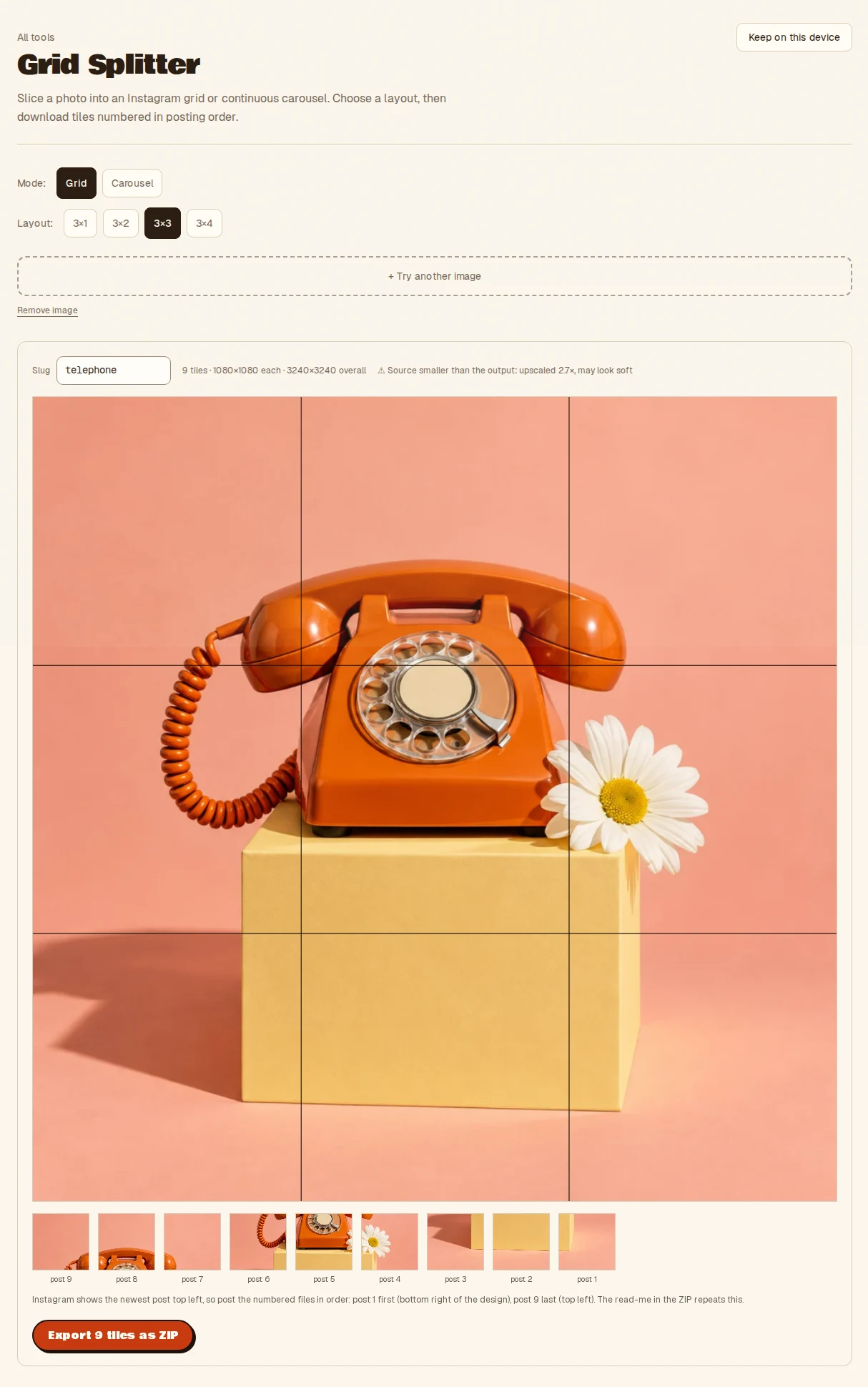
- Drop one image
- Choose a grid or carousel layout
- Export the numbered tiles as a ZIP
- Takes
- One browser-readable image.
- Gives
- Square or portrait tiles numbered in posting order, in a ZIP with a read-me. Made in your browser.
Grid Splitter, answered
- How do I split an image for an Instagram grid?
- Drop one image, choose a grid from 3 by 1 up to 3 by 4, and export the tiles. Each tile is 1080 by 1080 and numbered in posting order, with a read-me explaining the order.
- Can it make a continuous carousel?
- Yes. Choose a carousel of 2 to 10 panels, square or 4 by 5 portrait, and the image is sliced so it flows across the swipe.
- Will I see the cuts before exporting?
- Yes. Live guide lines show every cut on your image so you can adjust before you download.
- Is the image uploaded?
- No. Everything runs inside your browser tab on your own machine. Nothing is uploaded and there is no server to send it to, so nothing is stored anywhere but your device.
More from the toolbox
Batch Cropper
Drop an image, get every preset size at once. Smart slug naming, one-click zip export.
Have a look →
Social Card Maker
Feed it a spreadsheet, get fifty branded social cards.
Have a look →
Campaign Maker
One creative in, twenty sized, branded, on-message assets out. Templates you can re-run.
Have a look →
Notes from the workbench
All comments ↗Used Grid Splitter for something? Share what worked, or suggest one thing that would make it easier. Your note could help shape the next improvement.