
All tools · Screenshot Scrubber
Screenshot Scrubber
Box out anything sensitive in a screenshot, pixelate or bar it, strip the metadata, then apply the same boxes across a whole set of same-size shots.
Open Screenshot Scrubber →Free. No account needed.
- Draw, move and resize redaction boxes over any screenshot, with a live preview of the result
- Pixelate or solid-bar out the pixels for good; blur is opt-in and flagged as partially reversible
- Metadata is stripped on export, so no EXIF, GPS or hidden tags ride along
- Redact one shot, then apply the exact same boxes across a batch of same-size screenshots and export a ZIP

Runs entirely in your browser. Your files never leave your machine.
See it in action
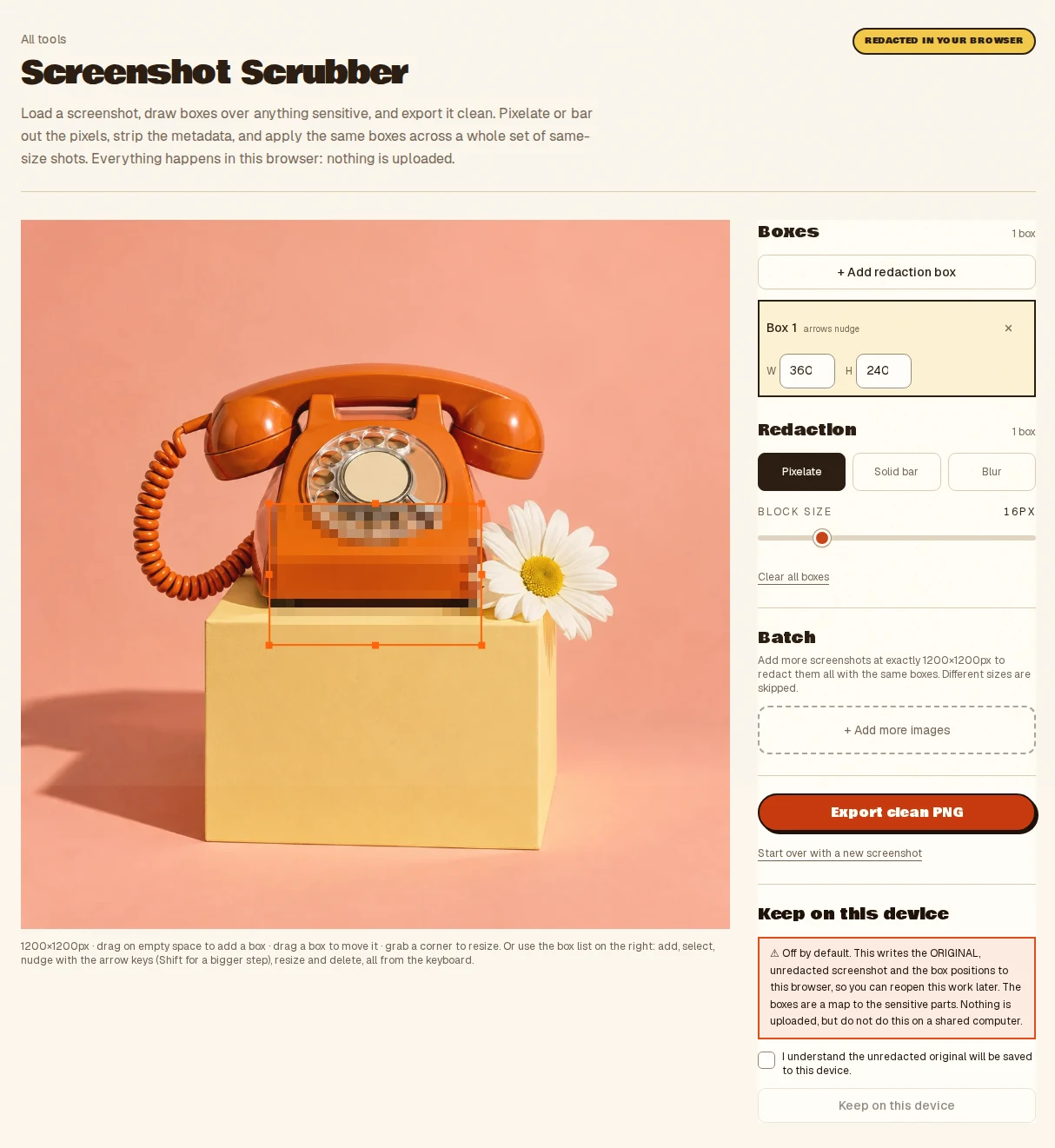
- Drop or paste a screenshot
- Draw boxes and choose pixelate or bar
- Export a clean PNG, or a ZIP
- Takes
- A screenshot or image; same-size shots can be batched together.
- Gives
- A PNG with the boxes burned in and metadata stripped, single or a ZIP. Blur is opt-in and only partly reversible, so pixelate or bar anything sensitive.
Screenshot Scrubber, answered
- Is pixelating a screenshot reversible?
- Pixelate and solid bars replace the pixels for good and cannot be undone by a viewer. Blur is opt-in and flagged as only partly reversible, so use pixelate or a bar for anything sensitive.
- Does the scrubbed screenshot still carry metadata?
- No. Metadata is stripped on export, so no EXIF, GPS or hidden tags ride along with the image.
- Can I redact a batch of screenshots the same way?
- Yes. Draw the boxes once on one shot, then apply exactly the same boxes across a set of same-size screenshots and export a ZIP.
- Are screenshots uploaded?
- No. Everything runs inside your browser tab on your own machine. Nothing is uploaded and there is no server to send it to, so nothing is stored anywhere but your device.
More from the toolbox
Metadata Stripper
Strip location and camera data before a photo goes public.
Have a look →
Listing Prep
Marketplace-ready product photos in one pass: white background, square crop, compliance checks.
Have a look →
Batch Converter
Convert a whole folder to WebP, AVIF or optimised PNG at the quality you choose. Per-file or one ZIP, nothing uploaded.
Have a look →
Notes from the workbench
All comments ↗Used Screenshot Scrubber for something? Share what worked, or suggest one thing that would make it easier. Your note could help shape the next improvement.